Why Use ITISeasy Builder?
Odoo’s standard forms are powerful - but sometimes, your business needs more flexibility, more custom fields, and tailored views.
With ITISeasy Builder, you can modify forms and insert fields using a simple drag-and-drop interface.
No developer required. No technical knowledge needed.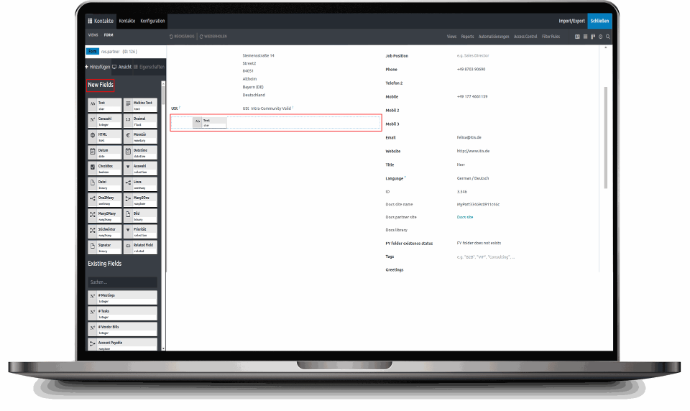
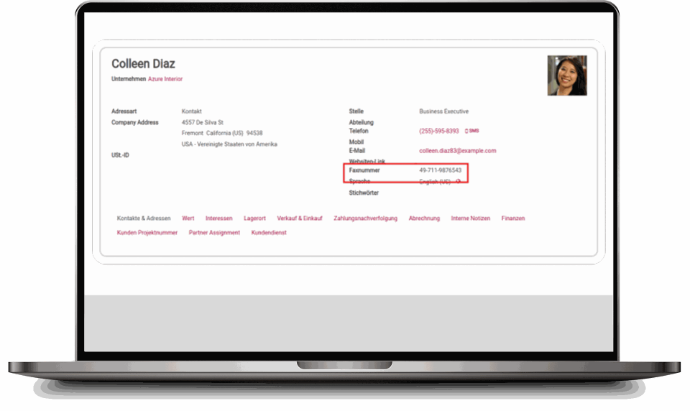
Add Text Fields for Any Use Case
Text fields (Char) are highly flexible. Use them for:
Fax numbers
Extra notes
Internal codes
Custom attributes
These fields can accept both numbers and letters
Why Use ITISeasy Builder?
Odoo’s standard forms are powerful - but sometimes, your business needs more flexibility, more custom fields, and tailored views.
With ITISeasy Builder, you can modify forms and insert fields using a simple drag-and-drop interface.
No developer required. No technical knowledge needed.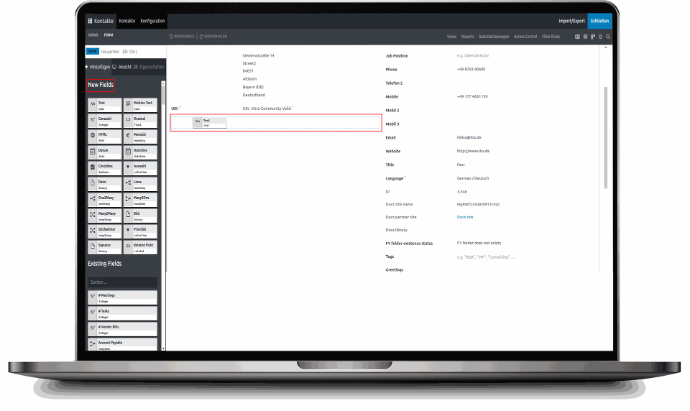
Add Text Fields for Any Use Case
Text fields (Char) are highly flexible. Use them for:
Fax numbers
Extra notes
Internal codes
Custom attributes
These fields can accept both numbers and letters
Whole Numbers Only - Use
Integer Fields
For entries like:
Employee ID
Room number
Number of visits
Use the Integer field. This ensures only whole numbers can be entered -reducing errors and improving data quality.
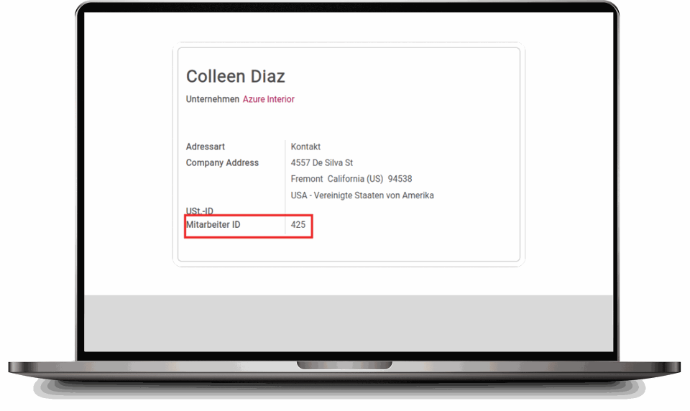
Whole Numbers Only -Use Integer Fields
For entries like:
Employee ID
Room number
Number of visits
Use the Integer field. This ensures only whole numbers can be entered -reducing errors and improving data quality.
Customize Contact Forms
(and More) Easily
Let’s walk through a common use case: Customizing the Contact form view.With ITISeasy Builder, you can add:
Text Fields (Char)
Integer Fields (Integer)
Relational Fields (Many2one, One2many, Many2many)
Visual Structure (Tabs, Columns)
Customize Contact Forms (and More) Easily
Let’s walk through a common use case: Customizing the Contact form view.With ITISeasy Builder, you can add:
Text Fields (Char)
Integer Fields (Integer)
Relational Fields (Many2one, One2many, Many2many)
Visual Structure (Tabs, Columns)
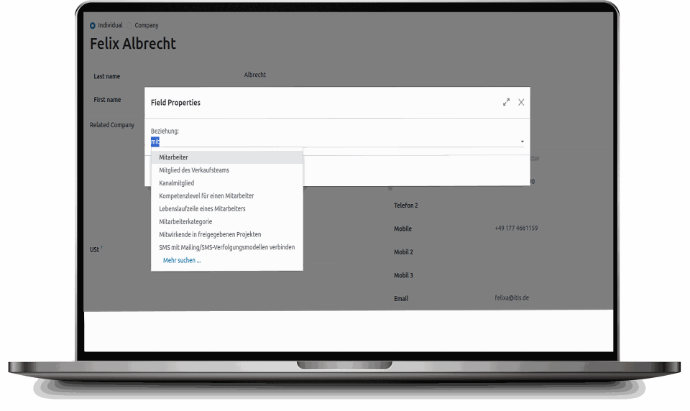
Many2one Fields - Link to
Other Records
Want to assign a department, supervisor, or region?
The Many2one field allows you to create dropdown fields that reference other models - like departments or users.
Example: Assigning the contact to the “Management” department through a dropdown selection.
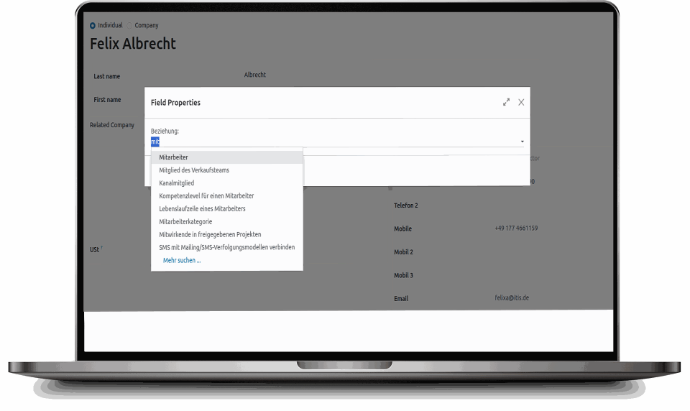
Many2one Fields - Link to
Other Records
Want to assign a department, supervisor, or region?
The Many2one field allows you to create dropdown fields that reference other models - like departments or users.
Example: Assigning the contact to the “Management” department through a dropdown selection.
One2many Fields - Add Multiple
Linked Records
Need to show several related records in one form?
The One2many field allows you to show tables of related entries.
Example: One Contact (One) has multiple addresses or phone
numbers (Many).
You can customize the table layout using ITISeasy Builder.
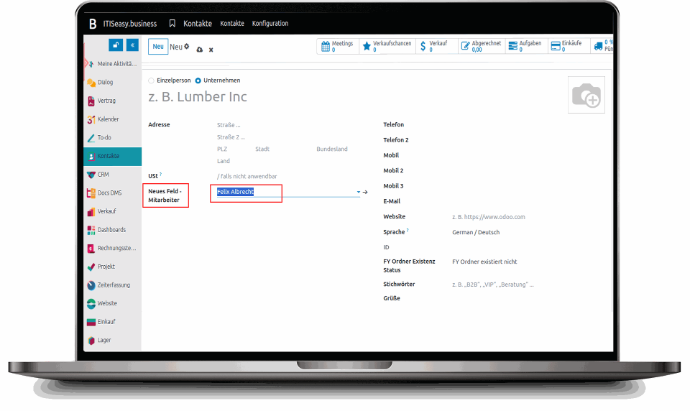
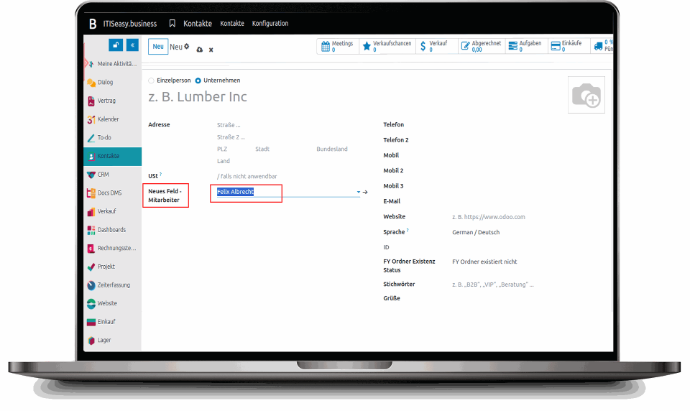
One2many Fields -Add Multiple Linked Records
Need to show several related records in one form?
The One2many field allows you to show tables of related entries.
Example: One Contact (One) has multiple addresses or phone
numbers (Many).
You can customize the table layout using ITISeasy Builder.
Organize with Tabs & Columns
Organize with Tabs
& Columns
Add New Tabs
Create clear visual separation between different types of data.
Personal Info
Company Info
Preferences
Documents
Drag and drop a new tab bar or insert tabs using the [+] button.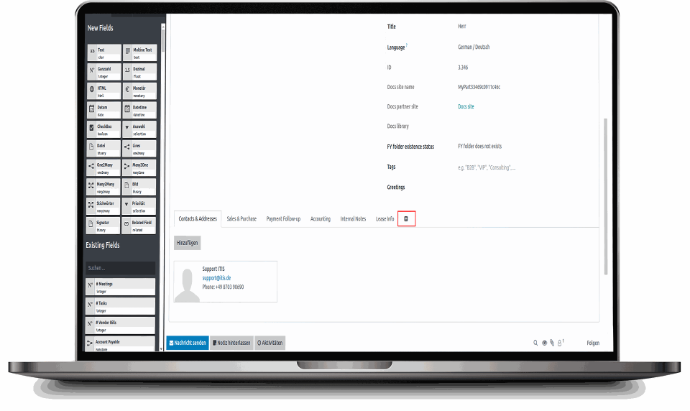
Add Columns
Need multiple fields on the same row?
Just drag in a new column layout to group
fields side by side.
Example: A column with personal data like birthdate,
gender, and employee status.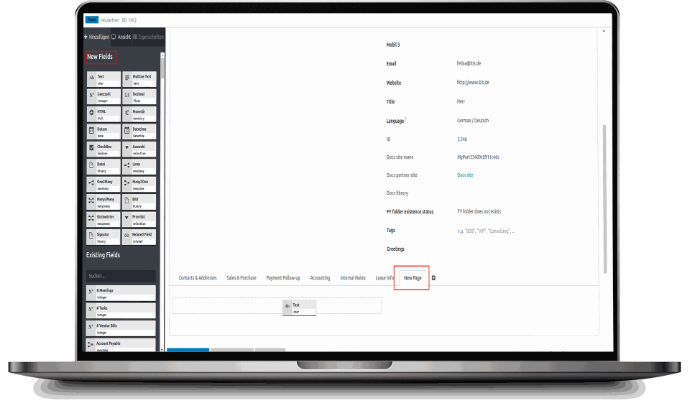
Add New Tabs
Create clear visual separation between different types of data.
Personal Info
Company Info
Preferences
Documents
Drag and drop a new tab bar or
insert tabs using the [+] button.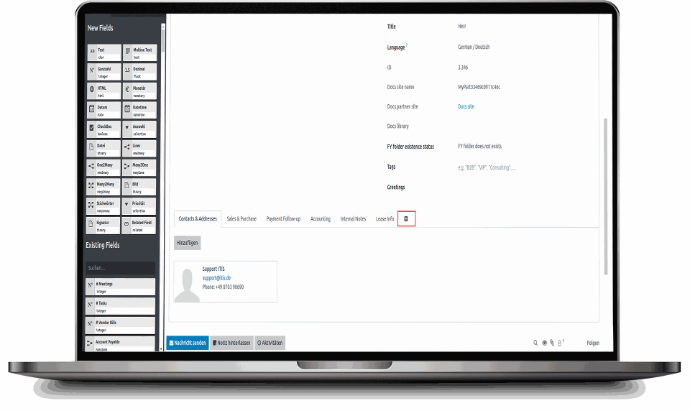
Add Columns
Need multiple fields on the same row?
Just drag in a new
column layout to group
fields side by side.
Example: A column with
personal data like birthdate,
gender, and employee status.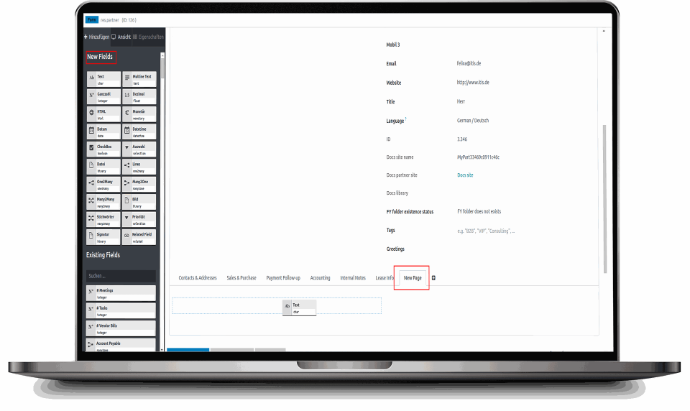
Schedule Appointments from the Website
With ITISeasy Builder, you can even insert new fields and logic into
website-facing forms
- including booking tools or appointment setups.
Schedule Appointments from the Website
With ITISeasy Builder, you can even insert new fields and logic into
website-facing forms
- including booking tools or appointment setups.
Why ITISeasy Builder Changes the Game
Why ITISeasy Builder Changes the Game
No coding required
Modify any Odoo
model’s form
Works with both backend and website views
No coding required
Modify any Odoo
model’s form
Works with both backend and website views
Improve UX with better layout and field grouping
Built-in consistency across tabs, columns, and relations
Save developer time and increase agility
Improve UX with better layout and field grouping
Built-in consistency across tabs, columns, and relations
Save developer time and increase agility
Ready to Build Your Own Interface?
Whether you want to add a simple phone field, a custom department selector, or a full tabbed
layout for your HR forms - ITISeasy Builder makes it easy.
Book a Free Demo Get a Custom Use Case Consult Explore Other ITISeasy Modules
Ready to Build Your
Own Interface?
Whether you want to add a simple phone field, a custom department selector, or a full tabbed
layout for your HR forms - ITISeasy Builder makes it easy.
Book a Free Demo
Get a Custom Use Case Consult
Explore Other ITISeasy Modules